I signed up for Pro then found I had to have Enterprise to connect my business bank account so that when my clients pay their invoice then it gets deposited to my account automatically. But now getting in here I still do not see it in the settings, nor did I find the answer when searching through the forum. Maybe I am missing it in the forum, so I apologize if its there.
Anyway, I’m coming from Fiverr which is shutting down this month so I need a good alternative. Seems like this will do the trick if it has both ‘connect to bank’ and ‘automatic monthly subscriptions’. Thanks in advance for your assistance. -Lee
Hi,
You should see the option on Settings > Credit Cards & Banks > Add Bank Account.
Note: to receive payments you’ll also need to add a payment gateway on Settings > Payment Settings.
Thank you. I did that but it only gets me to here, graphic 1 & 2 and does not let me input any banking routing number or account. Following with second graphic
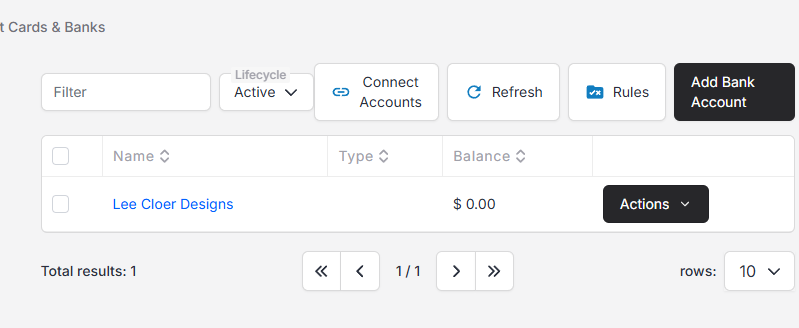
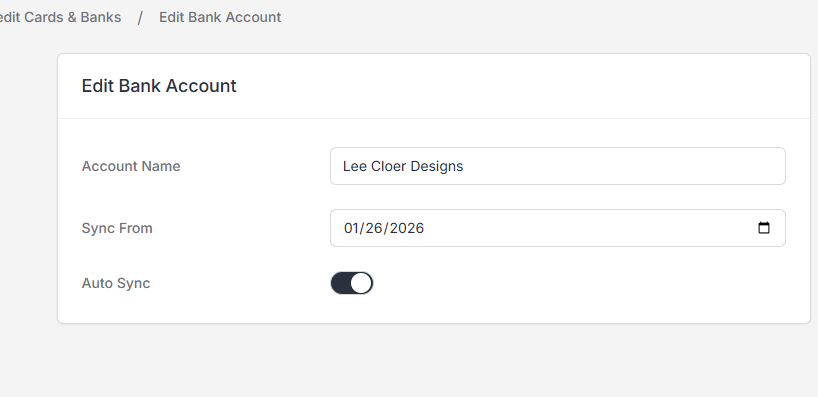
I’m sorry, I believe you want to click “Connect Accounts”.
Thanks for the screenshots!
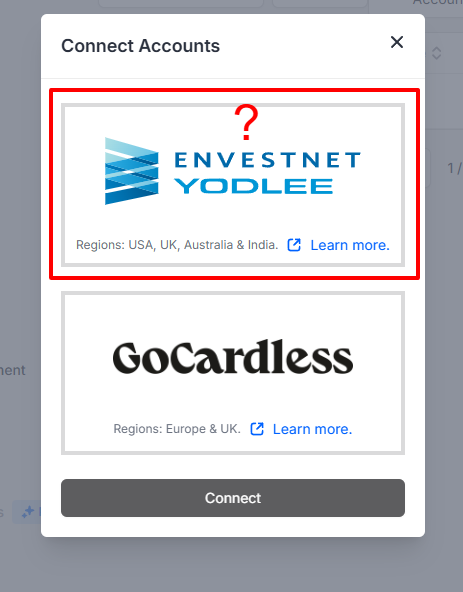
You need to use a payment gateway to receive online payments.
Thanks for the info so far. I tested a standard invoice I would send someone for them to pay, it seemed to work with an option for Paypal to pay. But now, I want to do an automatic invoice that gets paid automatically like a subscription. I set up a Recurring Invoice and sent a test to myself with a start of the second of next month and Frequency of Monthly. Does that mean it only sends an invoice each month automatically on a day I choose (example Feb 2) that they have to go to paypal and pay, or does it just charge a credit card on Feb 2 and each 2 day or months to follow?
I believe PayPal only supports auto-billing if you configure it through Braintree.