Version 5.5.13
Sending an invoice to someone using the ‘New Outlook’ strips the link and just shows a blue bar with some text. Moving the owner back to classic allowed the link to work. Not sure what to do about that.
Version 5.5.13
Sending an invoice to someone using the ‘New Outlook’ strips the link and just shows a blue bar with some text. Moving the owner back to classic allowed the link to work. Not sure what to do about that.
Hi,
One option may be to add the link in the email template as a workaround.
Feel free to ask in a discussion on GitHub to get feedback from the developers.
I recently went down the rabbit hole of custom HTML email templates, and wow—Outlook is a nightmare. It’s still using the ancient Trident engine from the Internet Explorer days Microsoft Word rendering engine, which means it doesn’t support modern HTML or CSS features. About a quarter of my code in every template is just workarounds and fallbacks specifically for Outlook.
You’d think something as simple as a button could just be a styled <div>, <table>, or a link with some CSS, right? Not in Outlook. To make a clickable shape, you actually have to use VML—Vector Markup Language. That’s proprietary Microsoft code, straight out of the good old days of IE hacks.
My advice? Either stick to plain-text emails or brace yourself for the pain of customizing and troubleshooting for that monstrosity.
Edit: I reread your post and noticed you said “new Outlook.” That one runs on Microsoft’s Edge WebView2, which should support modern standards. My rant above was mostly about the old desktop version that still uses the Word rendering engine.
That said, if you want consistent results, you’ll still need to hand-code and debug your own HTML emails. It’s a special kind of pain, but the only way to get stable, cross-client eye candy.
And it has happened again. I don’t know if it is related exactly but the pay now link is broken with 5.12.27. Doesn’t show up as a link in Yahoo! email (who uses that lol) but I waited weeks to get paid and they never received a working link. Dug into their system and it is the same thing, no pay now link to click but it looks right graphically.
I modified it to hide the actual source but looks to be doubled up? I can drop the 'billing.mysite.com/invoices/open5YlD7a/ part and it works. This is killing me as clients have stopped paying because the link isn’t there.
I suggest following up in a discussion on GitHub
I’ll do that but here is another one that appeared. Sending to Outlook.com stripped the link too.
I swapped to the Linux desktop app and it warned me of no valid URL. I added https:// in front of the client portal URL and it appears to be working now. I was sending client portal links in the mean time.
Ubuntu 24.04/IN 5.12.28
If it’s repeatable I would suggest adding a bug report @ https://github.com/invoiceninja/invoiceninja/issues for it to get it corrected. I don’t use the customer portal at this time so all my emails have the documents attached so I wouldn’t have known this but eventually I’ll get the customer portal published and start using it… maybe… but all my very few customers don’t want or will use a portal so it hasn’t been on my radar.
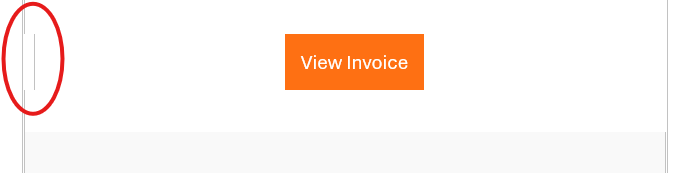
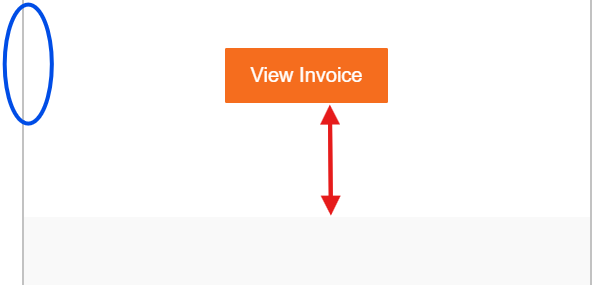
This raised a concern for me, as I imagine many clients have already switched to the new Outlook app. With some free time over the weekend, I decided to test it out myself. The screenshots below highlight the “Clickable View” button.
There are a couple of differences I noticed:
(Not perfect, but I’m ok with this)
Supported by Invoice Ninja and Event Schedule