Version:
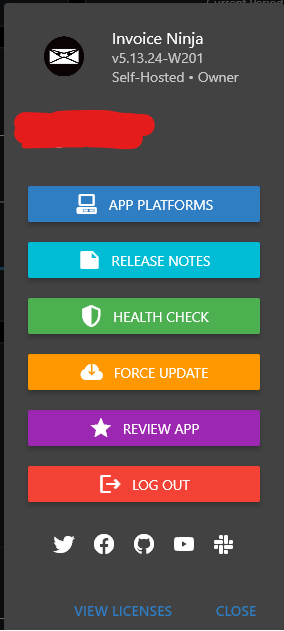
v5.13.24
Environment:
Shared Hosting
Checklist
- Can you replicate the issue on our v5 demo site https://demo.invoiceninja.com or Invoice Ninja ? NO
- Have you searched existing issues? Yes
- Have you inspected the logs in storage/logs/laravel.log for any errors? Yes, and no errors were logged.
Describe the bug
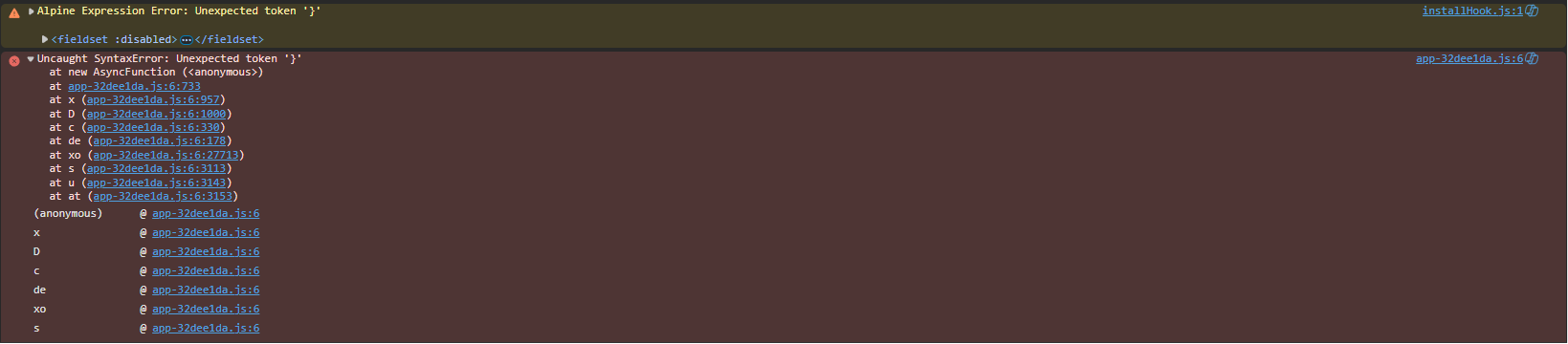
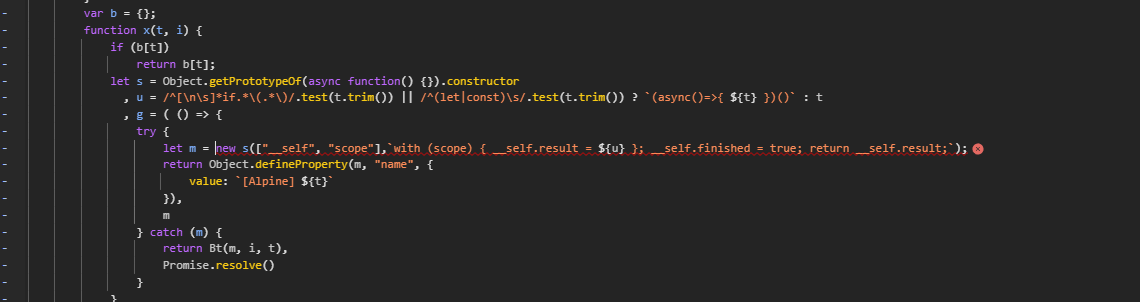
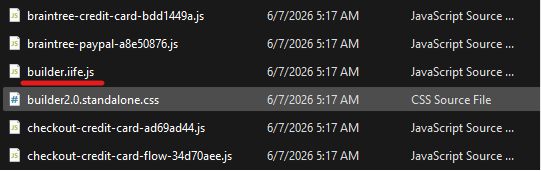
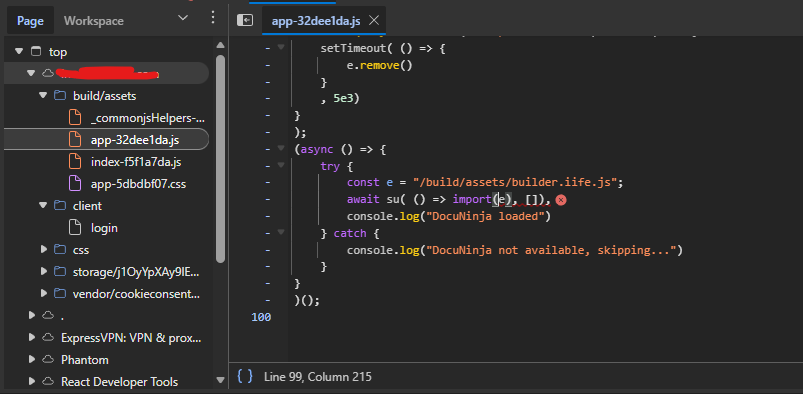
When I try logging into the client portal it reloads the login. When I look at the browser console, I see a script error saying “https://example.com/build/assets/builder.iife.js net::ERR_ABORTED 404 (Not Found)”
Steps To Reproduce
Navigate to the client login URL, enter you client login details, and click on the “Login” button. the page reloads instead of redirecting to the client dashboard.
Expected Behavior
It should redirect to the client dashboard on successful login.
Additional context
I Just updated from a previous version to the latest version and started encountering this error.
Screenshots


Logs
[2026-06-07 07:23:55] production.WARNING: json_decode(): Passing null to parameter #1 ($json) of type string is deprecated in /home/john/invoice.example.com.com/vendor/livewire/livewire/src/LivewireManager.php on line 258
[2026-06-07 07:24:07] production.WARNING: json_decode(): Passing null to parameter #1 ($json) of type string is deprecated in /home/john/invoice.example.com.com/vendor/livewire/livewire/src/LivewireManager.php on line 258
[2026-06-07 07:24:14] production.WARNING: json_decode(): Passing null to parameter #1 ($json) of type string is deprecated in /home/john/invoice.example.com.com/vendor/livewire/livewire/src/LivewireManager.php on line 258
[2026-06-07 19:12:58] production.WARNING: Since symfony/http-foundation 7.4: Request::get() is deprecated, use properties ->attributes, query or request directly instead. in /home/john/invoice.example.com.com/vendor/symfony/deprecation-contracts/function.php on line 25
[2026-06-07 23:30:07] production.INFO: updating currencies
[2026-06-08 06:20:03] production.INFO: Performing Autobilling 2026-06-08 06:20:03
[2026-06-08 14:58:11] production.ERROR: The command “‘/opt/alt/php-fpm82/usr/bin/php’ ‘artisan’ queue:work database --stop-when-empty --memory=256 > ‘/dev/null’ 2>&1” failed.
Working directory: /home/john/invoice.example.com.com
Error: proc_open(): Fork failed: Resource temporarily unavailable {“exception”:"[object] (Symfony\Component\Process\Exception\ProcessStartFailedException(code: 0): The command “‘/opt/alt/php-fpm82/usr/bin/php’ ‘artisan’ queue:work database --stop-when-empty --memory=256 > ‘/dev/null’ 2>&1” failed.
Working directory: /home/john/invoice.example.com.com
Error: proc_open(): Fork failed: Resource temporarily unavailable at /home/john/invoice.example.com.com/vendor/symfony/process/Process.php:406)
[stacktrace]
#0 /home/john/invoice.example.com.com/vendor/symfony/process/Process.php(263): Symfony\Component\Process\Process->start()
#1 /home/john/invoice.example.com.com/vendor/laravel/framework/src/Illuminate/Console/Scheduling/Event.php(205): Symfony\Component\Process\Process->run()
#2 /home/john/invoice.example.com.com/vendor/laravel/framework/src/Illuminate/Console/Scheduling/Event.php(185): Illuminate\Console\Scheduling\Event->execute()
#3 /home/john/invoice.example.com.com/vendor/laravel/framework/src/Illuminate/Console/Scheduling/Event.php(134): Illuminate\Console\Scheduling\Event->start()
#4 /home/john/invoice.example.com.com/vendor/laravel/framework/src/Illuminate/Console/Scheduling/ScheduleRunCommand.php(197): Illuminate\Console\Scheduling\Event->run()
#5 /home/john/invoice.example.com.com/vendor/laravel/framework/src/Illuminate/Console/View/Components/Task.php(41): Illuminate\Console\Scheduling\ScheduleRunCommand->Illuminate\Console\Scheduling\{closure}()
#6 /home/john/invoice.example.com.com/vendor/laravel/framework/src/Illuminate/Console/View/Components/Factory.php(59): Illuminate\Console\View\Components\Task->render()
#7 /home/john/invoice.example.com.com/vendor/laravel/framework/src/Illuminate/Console/Scheduling/ScheduleRunCommand.php(191): Illuminate\Console\View\Components\Factory->__call()
#8 /home/john/invoice.example.com.com/vendor/laravel/framework/src/Illuminate/Console/Scheduling/ScheduleRunCommand.php(134): Illuminate\Console\Scheduling\ScheduleRunCommand->runEvent()
#9 /home/john/invoice.example.com.com/vendor/laravel/framework/src/Illuminate/Container/BoundMethod.php(36): Illuminate\Console\Scheduling\ScheduleRunCommand->handle()
#10 /home/john/invoice.example.com.com/vendor/laravel/framework/src/Illuminate/Container/Util.php(43): Illuminate\Container\BoundMethod::Illuminate\Container\{closure}()
#11 /home/john/invoice.example.com.com/vendor/laravel/framework/src/Illuminate/Container/BoundMethod.php(96): Illuminate\Container\Util::unwrapIfClosure()
#12 /home/john/invoice.example.com.com/vendor/laravel/framework/src/Illuminate/Container/BoundMethod.php(35): Illuminate\Container\BoundMethod::callBoundMethod()
#13 /home/john/invoice.example.com.com/vendor/laravel/framework/src/Illuminate/Container/Container.php(799): Illuminate\Container\BoundMethod::call()
#14 /home/john/invoice.example.com.com/vendor/laravel/framework/src/Illuminate/Console/Command.php(211): Illuminate\Container\Container->call()
#15 /home/john/invoice.example.com.com/vendor/symfony/console/Command/Command.php(341): Illuminate\Console\Command->execute()
#16 /home/john/invoice.example.com.com/vendor/laravel/framework/src/Illuminate/Console/Command.php(180): Symfony\Component\Console\Command\Command->run()
#17 /home/john/invoice.example.com.com/vendor/symfony/console/Application.php(1117): Illuminate\Console\Command->run()
#18 /home/john/invoice.example.com.com/vendor/symfony/console/Application.php(356): Symfony\Component\Console\Application->doRunCommand()
#19 /home/john/invoice.example.com.com/vendor/symfony/console/Application.php(195): Symfony\Component\Console\Application->doRun()
#20 /home/john/invoice.example.com.com/vendor/laravel/framework/src/Illuminate/Foundation/Console/Kernel.php(198): Symfony\Component\Console\Application->run()
#21 /home/john/invoice.example.com.com/artisan(35): Illuminate\Foundation\Console\Kernel->handle()
#22 {main}
"}
[2026-06-08 23:30:07] production.INFO: updating currencies
[2026-06-09 06:20:05] production.INFO: Performing Autobilling 2026-06-09 06:20:05
[2026-06-09 23:30:08] production.INFO: updating currencies
[2026-06-10 06:20:04] production.INFO: Performing Autobilling 2026-06-10 06:20:04
[2026-06-10 23:30:06] production.INFO: updating currencies
[2026-06-11 06:20:04] production.INFO: Performing Autobilling 2026-06-11 06:20:04
[2026-06-12 06:20:04] production.INFO: Performing Autobilling 2026-06-12 06:20:04
[2026-06-12 23:30:05] production.INFO: updating currencies
[2026-06-13 06:20:03] production.INFO: Performing Autobilling 2026-06-13 06:20:03