Summary
Did you know that recurring invoices, payment reminders, or other scheduled tasks not running in your self-hosted Invoice Ninja instance might simply be caused by missing or incorrectly configured cron jobs?
With the Invoice Ninja CLI INmanage, checking and reinstalling the scheduler takes just two commands:
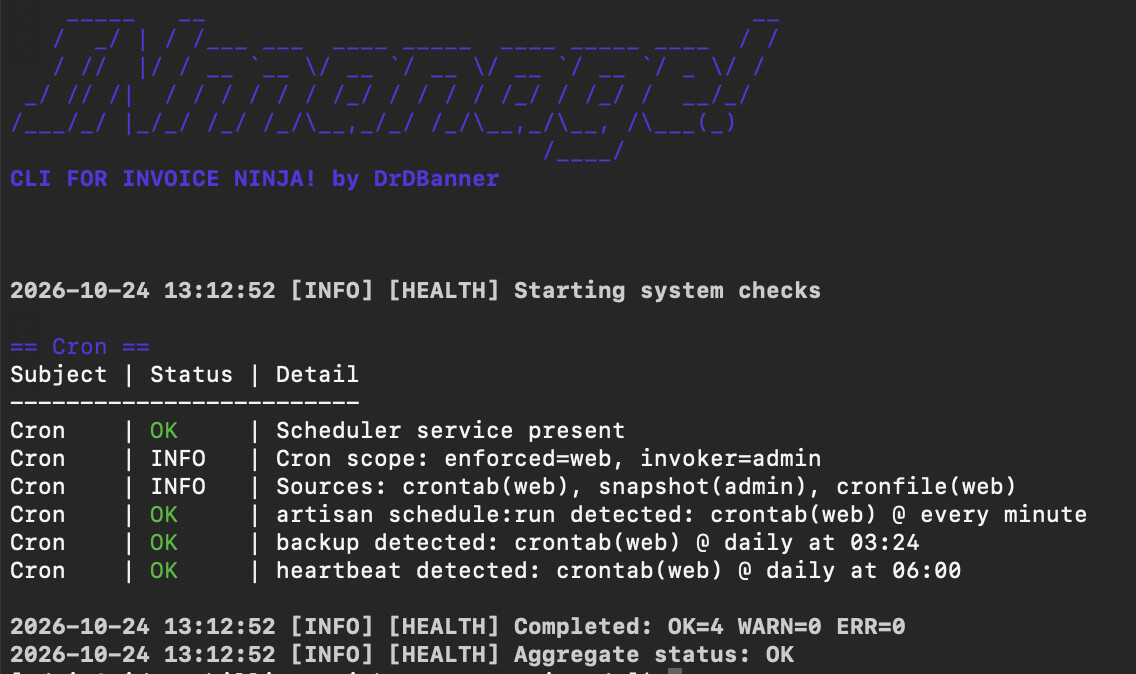
inm core health --checks=CRON
inm core cron install --jobs=artisan
Want to make sure cron jobs are actually being executed? INmanage also provides a simple test:
inm core cron install --jobs=test
This creates a test file in your Invoice Ninja base directory and updates it every minute. If the timestamp changes, your cron scheduler is working.
Once verified, remove the test job:
inm core cron uninstall --jobs=test
That’s it. No manual crontab editing or figuring out the correct PHP and Artisan paths.
If the test fails, check whether your server’s cron service is running.