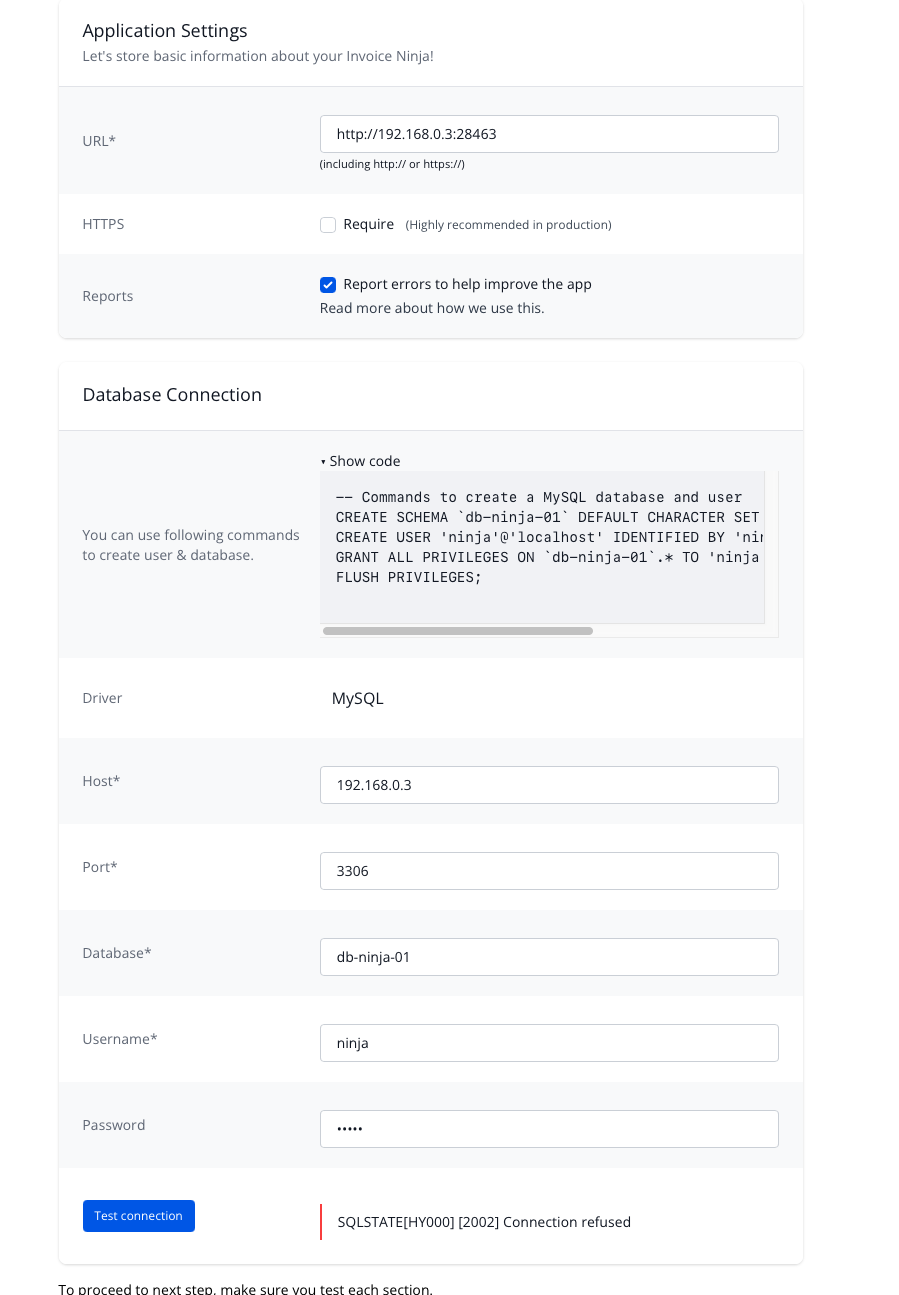
OK. I’ve given up on trying to run Invoice Ninja in a Docker Container on my QNAP NAS. No one here seems to have any clue about how to make this work (sorry @hillel - I appreciate your support and efforts so please don’t take this statement wrong).
So I ended up installing the Invoice Ninja app from the MyQNAP.org repo. So now I have a working webpage! Hooray! But now I am stuck…
I need to create the MySQL database. So I am not sure what to enter here nor do I know where to enter the code shown:
-- Commands to create a MySQL database and user
CREATE SCHEMA `db-ninja-01` DEFAULT CHARACTER SET utf8 COLLATE utf8_general_ci;
CREATE USER 'ninja'@'localhost' IDENTIFIED BY 'ninja';
GRANT ALL PRIVILEGES ON `db-ninja-01`.* TO 'ninja'@'localhost';
FLUSH PRIVILEGES;
Do I run that in the shell of the NAS? I just tried that and got errors. This looks like SQL code to me but not sure where I run that…
I don’t have much experience with QNAP, but here’s what AI suggests in case it’s helpful:
That is a common point of confusion when setting up self-hosted apps. The reason you saw errors is that the code you have is SQL, which is a language specific to database servers. You cannot run it directly in the NAS shell (the command line where you see the NAS name and a cursor) because the shell speaks Linux commands, not database commands.
To make this work, you need to “log in” to your database server first. Here are the two best ways to do this on a QNAP NAS.
Method 1: Using phpMyAdmin (The Easiest Way)
Most QNAP users prefer this because it provides a visual interface for the database.
Install phpMyAdmin: Open the App Center on your QNAP and install the phpMyAdmin app.
Log In: Open phpMyAdmin. The default username is usually root. The password is often admin, your NAS admin password, or whatever you set when you enabled the MariaDB/MySQL server in the Control Panel.
Run the Code: * Once logged in, look for the SQL tab at the top of the screen.
Paste your entire block of code into the text box.
Click the Go button at the bottom right.
Method 2: Using the Command Line (SSH)
If you prefer using the shell, you just need to enter the “MySQL Monitor” mode first.
Connect via SSH: Open your terminal or PuTTY and log into your NAS.
Enter the Database Monitor: Type the following command and press Enter: mysql -u root -p (Note: If you have MariaDB 10 installed, you might need to use the specific path: /usr/local/mariadb/bin/mysql -u root -p).
Enter Password: Type your database root password when prompted. You should now see a prompt that looks like mysql> or MariaDB [(none)]>.
Paste the Code: Now you can paste your SQL commands. Make sure to include the semicolons at the end of each line.
Exit: Once it says “Query OK,” type exit to leave the database monitor.
Important Tips for QNAP
Enable the Server: Before doing any of this, ensure the database server is actually turned on. Go to Control Panel > Applications > MariaDB (or MySQL Service) and make sure Enable MariaDB Server is checked.
MariaDB 10 vs. 5: Modern versions of Invoice Ninja usually require MariaDB 10. If you have both installed on your QNAP, MariaDB 10 often runs on port 3307 instead of the standard 3306.
The “localhost” detail: The code you have creates a user that can only connect from “localhost.” Since you are using a repo app (not Docker), this should work perfectly as the app and the database are running on the same “local” system.
Once those commands run successfully, you can go back to the Invoice Ninja setup page and enter db-ninja-01 as the database name, ninja as the user, and ninja as the password.
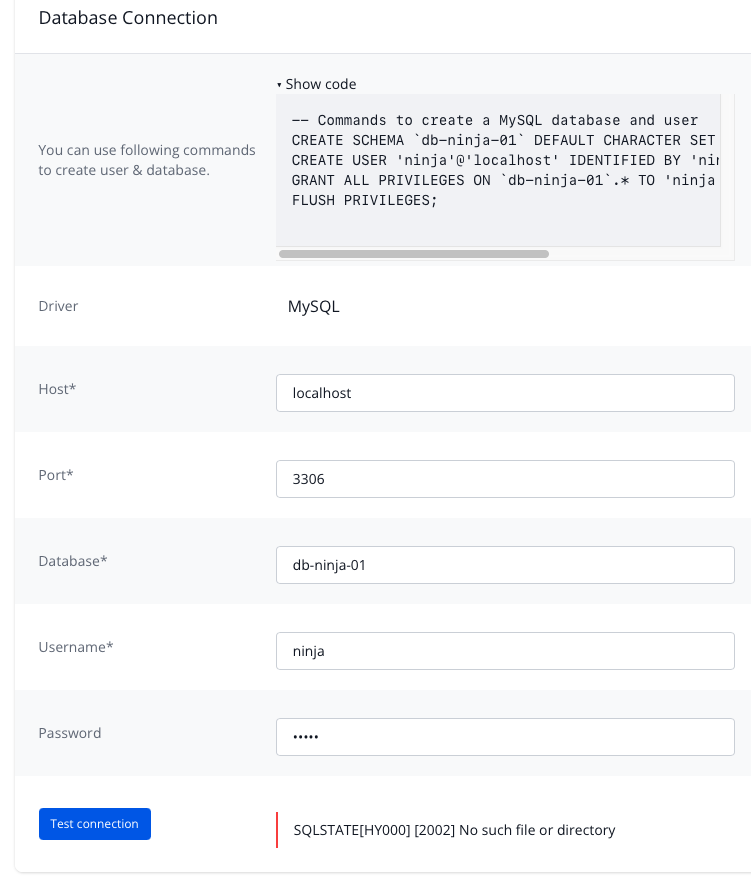
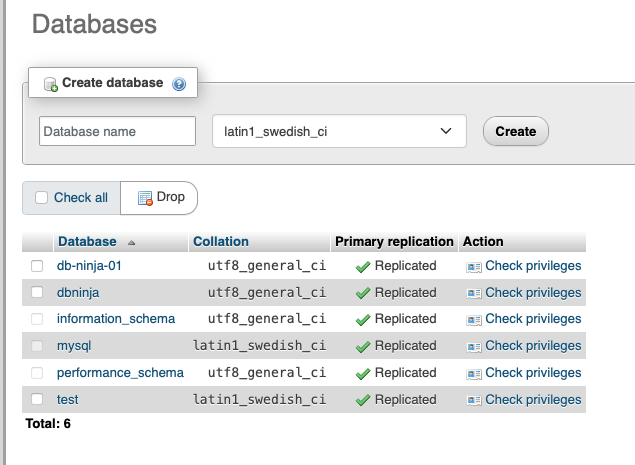
So thank you - I am closer and was able to create the database in phpMyAdmin, but I am still getting an error in InvoiceNinja that there is no such file…
But the database is there in MariaDB. Now I can’t set MariaDB as the driver - so I don’t know if that’s an issue but MariaDB and MySQL are compatible…
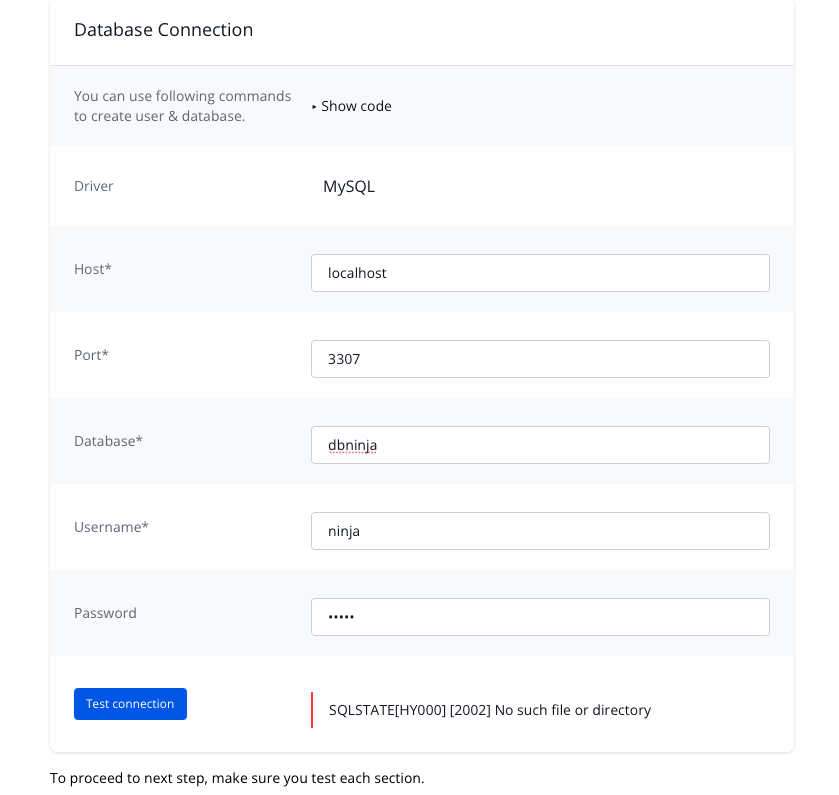
As suggested above, I am running MariaDB 10. And I’m using port 3307.
I tried creating db-ninja-01 as was originally there - didn’t work. I tried creating another database, dbninja. Still doesn’t work.
OK - SUCCESS! I received some instructions from QNAP that allowed me to connect to the database not via localhost but via the IP address of the NAS. I set up the MariaDB server to allow external connections for the ninja user. Now it works and I can connect to the database.