I have created a new company, and I want to copy all of my settings and custom invoice templates from the current to the new. I don’t need the data, just the settings and templates.
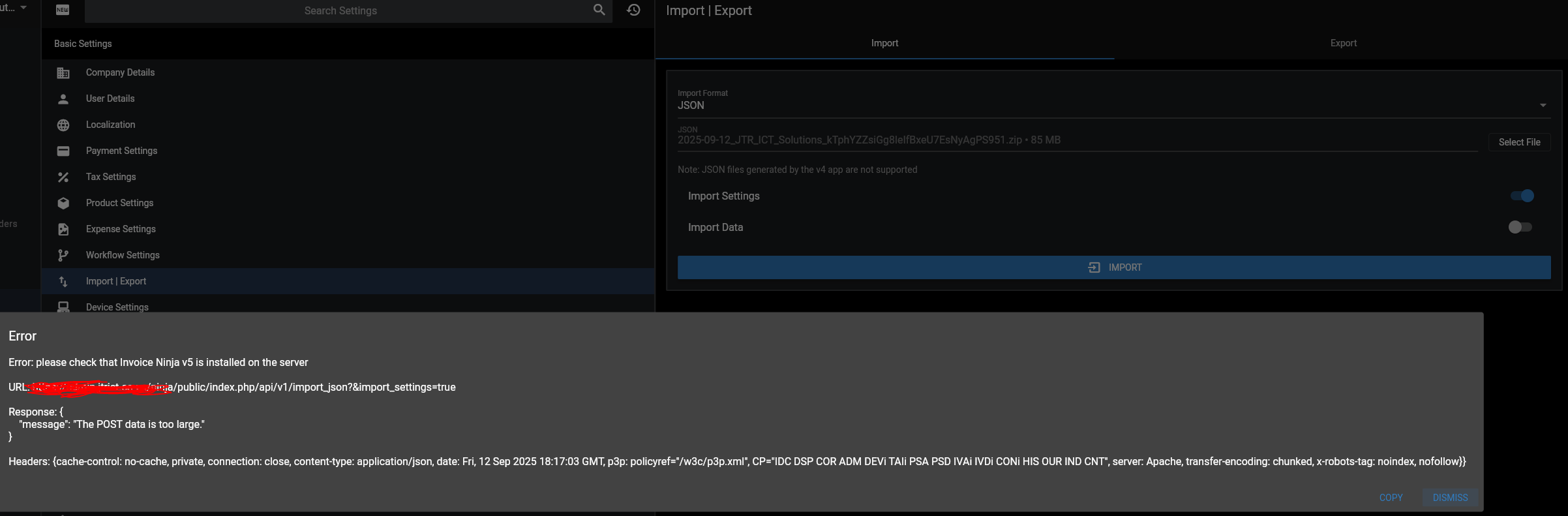
I would like the customers and vendors that I can do via CSV, but when I export from company A and import into company B, I get the below error
Response: {
“message”: “The POST data is too large.”
}
Fixing “The POST data is too large.” on CSV import
That error is PHP/Laravel rejecting the upload before the app can read it. Fix the upload limits at the web stack layer you’re using.
PHP (required)
In php.ini (or pool ini, or .htaccess if needed), raise:
upload_max_filesize = 64M
post_max_size       = 64M
memory_limit        = 256M   ; or higher if parsing very large CSVs
max_file_uploads    = 50
Important:post_max_size must be ≥upload_max_filesize.
Restart PHP-FPM/Apache after changes.
Web server / proxy
Depending on your front end:
Nginx
client_max_body_size 64m;
Reload Nginx.
Apache (httpd)
LimitRequestBody 0 # or a large byte value, e.g., 67108864 for 64 MB
HAProxy (usually fine by default for bodies; headers buffer is separate):
Not typically the culprit for body size, but make sure you aren’t filtering request bodies; keep defaults or use option http-buffer-request. No special size knob is usually needed for normal CSV sizes.
CDN/WAF in front?
Ensure any request/body-size limits there are increased, too.
I have tried that fix, but now I get the below error
500: Internal Server Error • Server Error
From the laravel.log, I get this
[2025-09-14 14:07:14] production.ERROR: file_put_contents(): Write of 84989419 bytes failed with errno=28 No space left on device {“userId”:1,“exception”:"[object] (ErrorException(code: 0): file_put_contents(): Write of 84989419 bytes failed with errno=28 No space left on device at /**********/ninja/app/Utils/TempFile.php:38)
[stacktrace]