fwilke
June 14, 2026, 8:01am
1
Can you replicate the issue on our v5 demo site https://demo.invoiceninja.com or Invoice Ninja ? >> Didn’t test. I have another test installation without that issue
Have you searched existing issues? >> Yes
Have you inspected the logs in storage/logs/laravel.log for any errors? >> I did. But I don’t find any related messages. But a a lot of information about deprecated functions.
I want to do autoamtion tasks with n8n. Goal is to receive a webhook about a completed payment from Paypal, searchf or the invoice, get the customer information and creat an expense in invoice ninja.https://example.com/api/v1/invoices?per_page=25 https://example.com/api/v1/invoices?page=2 ”
But in general I have much more invoices. I tried filters to include/exclude open/payed/archived invoices with no change.
Call the mentioned API URL
Provide a list of all invoices. With pagination. It should show the correct number of invoices.
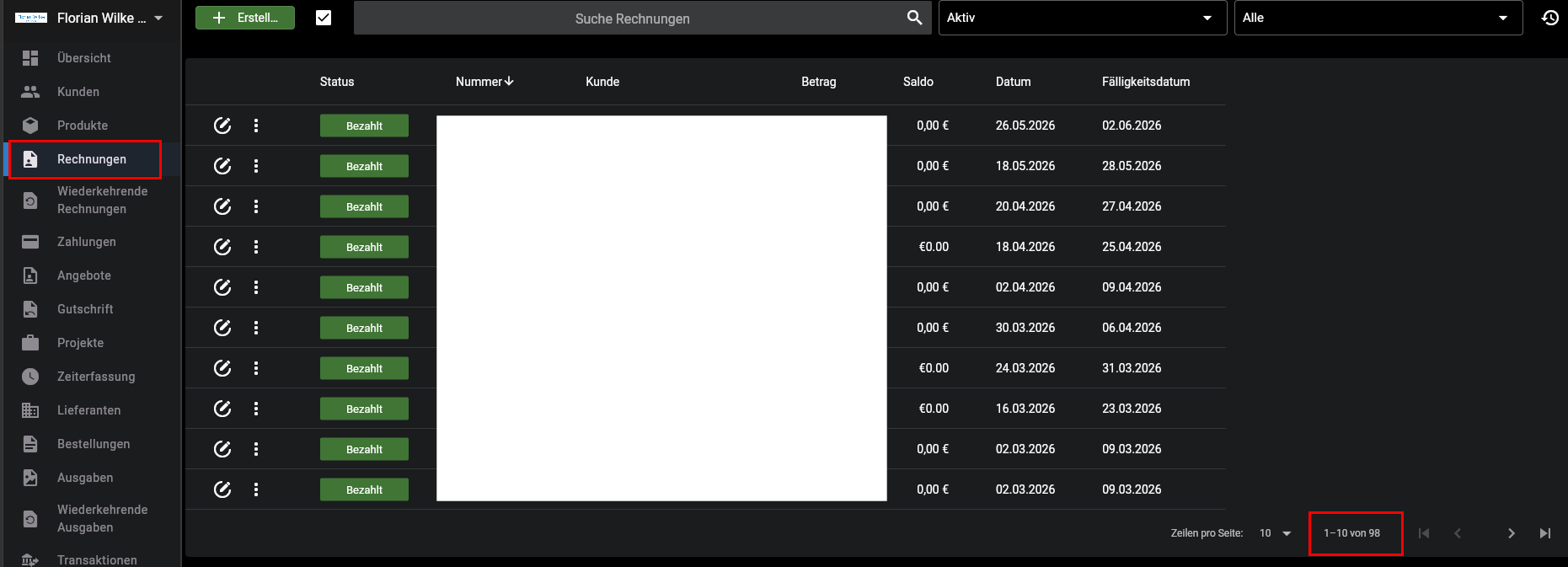
As you can see there should ba at least 96 invoices
fwilke
June 14, 2026, 12:27pm
2
The weird thing is, that even by trying to sort descending by number (i.e.) I only get the same 44 results that dont include the invoice I search for.
hillel
June 14, 2026, 3:45pm
3
Hi,
The web app also uses the API, I suggest using the browser console to compare API requests.
fwilke
June 14, 2026, 4:05pm
4
Do you mean to use the same URL with my Browser?
I used n8n for the API calls and Postman.
hillel
June 14, 2026, 4:31pm
5
I suggest using the browser console to see what API requests the web is making to compare to your requests.
fwilke
June 14, 2026, 4:47pm
6
OK, just call the same URL in Browser?
hillel
June 14, 2026, 4:50pm
7
Sorry, I’m not sure what you mean.
Do you know how to view the browser console?
fwilke
June 16, 2026, 9:11pm
9
I tried it with Edge and FIrefox but I didn’t find the API call made by the web-app.
fwilke
June 16, 2026, 9:19pm
10
Additionally… in two files within the “public” folder (Invoices-D3QJfM7p.js, Invoices-DwV3VArQ.js) I find this:
endpoint:n(“/api/v1/invoices?include=client.group_settings,project&client_id=:id&sort=id|desc”,{id:s})
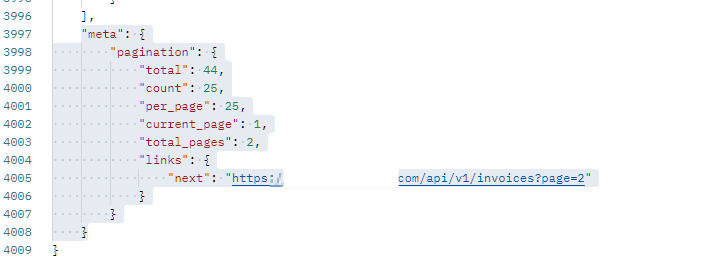
If I call the URL https://example.com/api/v1/invoices?include=client.group_settings,project&without_deleted_clients=true&sort=id|desc with Postman I still get 43 entries (out of 98 shown in the web interface) with this information:
“meta”: {
    "pagination": {

        "total": 43,

        "count": 20,

        "per_page": 20,

        "current_page": 1,

        "total_pages": 3,

        "links": {

            "next": "https://example.com/api/v1/invoices?page=2"

        }

    }

}
hillel
June 17, 2026, 5:10am
11
It may help to try creating a new API token.
fwilke
June 17, 2026, 2:41pm
12
That is weird. I created a new one and get far more results. I would never had thought of that possible solution as I would have expected to get NO result if the API Token wouldn’t have worked.
I will keep an eye on that.
hillel
June 17, 2026, 2:56pm
13
Glad to hear it, thanks for the update!